Local-first screen direction
Your recording.
Already edited.
Capture the workflow once. ReproClip finds the clicks, directs the viewer, and turns raw screen time into a focused product demo.
Recordings stay in the folder you choose.
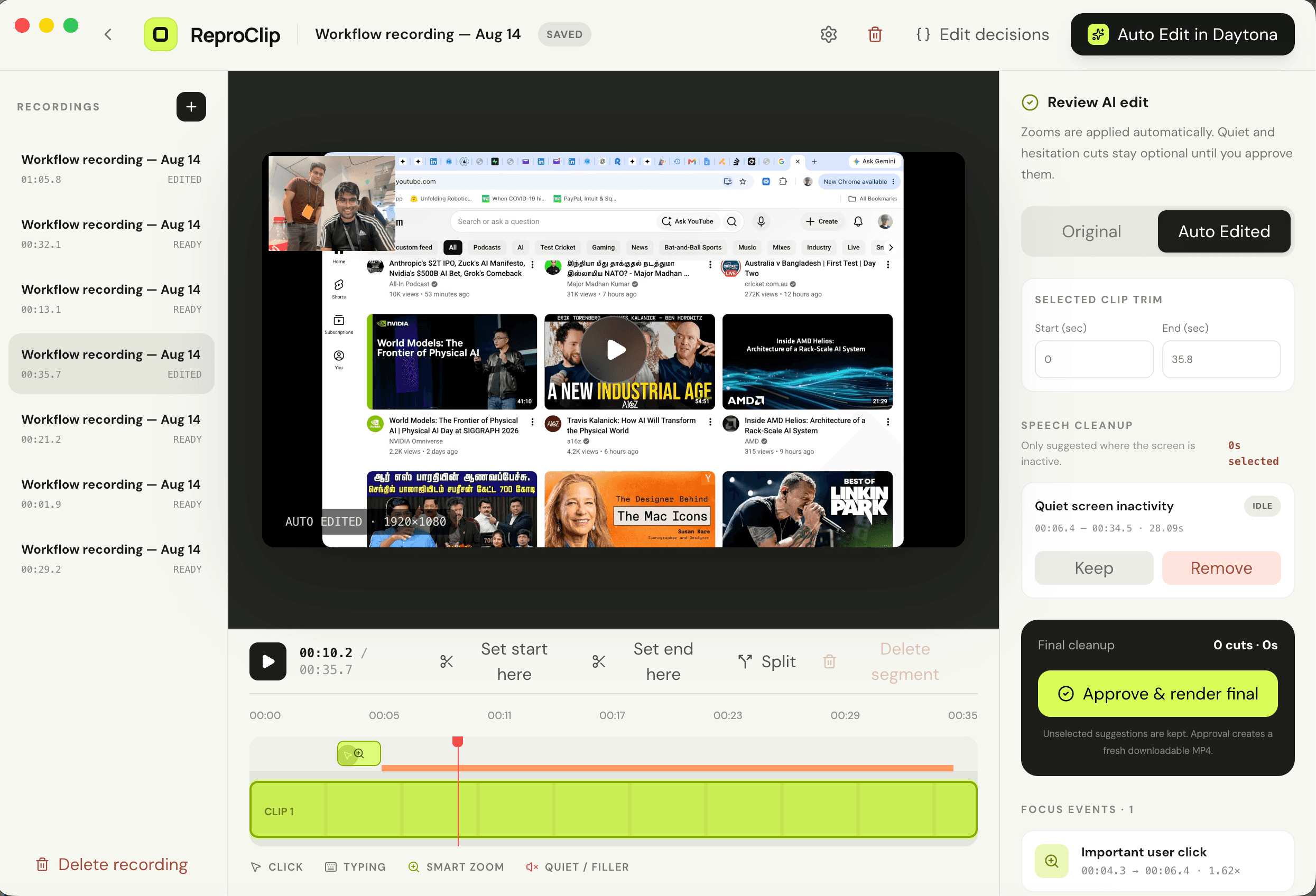
The edit happens with the action
Stop explaining where to look.
Every important click becomes a smooth focus move. Quiet, inactive moments become optional cuts. You approve the decisions before ReproClip renders anything final.
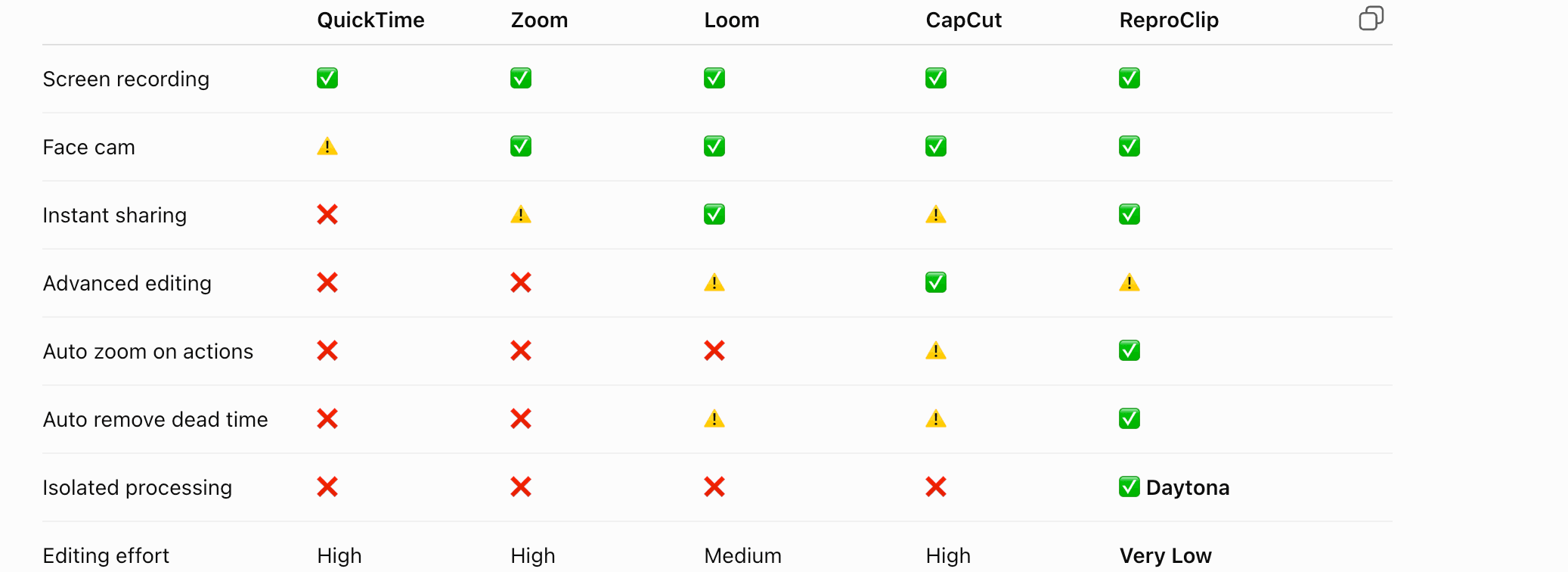
Directed automatically
Private by architecture
Your videos are files.
Not our inventory.
Choose a folder on your Mac. ReproClip reads from it and writes back to it. The hosted app has no shared video disk and cannot browse your library.
You choose the folder
Change it any time from the Mac app or browser workspace.
Editing stays local
The desktop app runs its local server and FFmpeg against that folder.
Uploads are explicit
Only a processing action you start may send a working copy to isolated compute.
Record once
Let the demo
direct itself.
Screen, camera, microphone, interaction-aware zooms, and final MP4 export—in one focused Mac app.